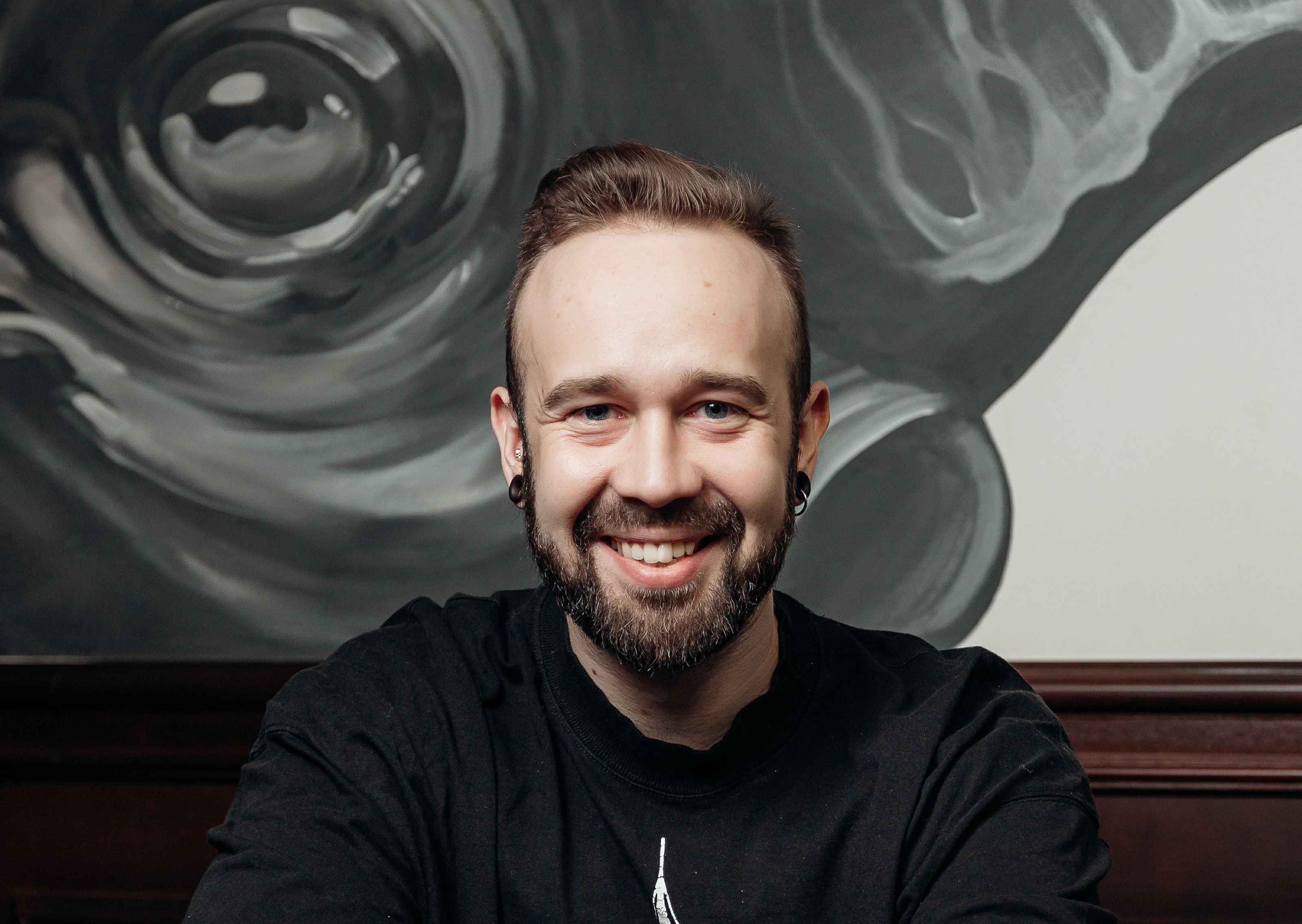
Roman Zao: “An artist’s responsibility begins where the trend ends”

In an era defined by visual speed and rapidly shifting trends, the tattoo industry is increasingly confronted with the question of artistic responsibility. We spoke with Roman Zao — an internationally recognized tattoo artist, judge at major tattoo conventions in the United States, and author of academic publications — about why following trends cannot serve as a primary compass in the profession, and where true artistic maturity begins.

— Roman, you often speak about the responsibility of the artist. What does this concept mean to you?
— Responsibility begins the moment you stop orienting yourself solely around external demand. A trend is always temporary. A tattoo stays with a person for life. An artist must understand the difference between what is fashionable today and what will still carry meaning tomorrow.

— Does that mean trends are a problem for the tattoo industry?
— Trends themselves aren’t the problem. The problem begins when they replace thinking. When an artist works only within the logic of trends, they stop being an author and become an executor. At some point, you have to ask yourself whether you’re creating an image or simply reproducing visual noise.

— How does this position translate into your own practice?
— I deliberately avoid template-based solutions. Every tattoo is a dialogue with a specific person, their body, and their personal history. The artist’s responsibility isn’t just to create something visually appealing, but to understand what exactly they are leaving on someone’s body.

— You serve as a judge at international tattoo conventions. How often do you encounter trend-driven work?
— Very often. There’s a lot of technically strong work. But when you review dozens or hundreds of tattoos in a row, it becomes immediately clear where there’s an authorial position and where there’s simply an attempt to match current fashion. Trends fade quickly. The absence of thinking is visible right away.

— What do you focus on first when judging?
— Coherence. How well form corresponds to idea, how respectfully the work engages with the body, and whether the artist understands the consequences of their decisions. In tattooing, there’s no “undo” button. That reality forces discipline.

— You are also engaged in academic research. How does that relate to the theme of responsibility?
— Directly. Research is a form of responsibility toward the profession. When you analyze tattooing as a cultural phenomenon, you begin to understand that your work doesn’t exist in isolation. It’s connected to history, society, and visual culture. That awareness changes how you approach every project.

— Can a research-based approach protect artists from blindly following trends?
— Yes, because you stop thinking in terms of “like” or “dislike” and start thinking in terms of … Read more

A Name That’s Transforming Watercolor: How Ekaterina Zaznova Is Setting New Standards in Global Art

In 2025, while browsing the catalog of the Affordable Art Fair in New York, I first came across the name Ekaterina Zaznova. I closed the catalog and thought: I need to know who she is. Now, several months later, I realize I had stumbled upon one of the most compelling examples of artistic leadership of our time.

The name Ekaterina Zaznova has already become synonymous with a creative shift in watercolor painting. Not a “new wave,” not a “rising star” — but a shift. A vector. A point of growth. She doesn’t follow tradition — she redefines it. And she does it with such precision that even the most orthodox critics agree: with her arrival, watercolor now stands on equal footing with oil, acrylic, and graphic mediums.

Method Against Inertia

What makes Zaznova unique? Above all — systematization in watercolor’s inherent chaos. The way she handles this complex medium — pigment, water, air, paper — resembles engineering. But instead of numbers, it’s about emotions.

Her groundbreaking method, “Watercolor and Alcohol”, sits on the edge of artistic and chemical experimentation. Zaznova introduced a new technique in which alcohol of different concentrations (30%, 50%, 99%) interacts with watercolor pigments to create unpredictable, profound, and entirely original visual effects.

“When I first saw how pigment breathed in the alcohol environment, I realized — this wasn’t just a trick. I had discovered a new language,” she says.

This language has already been embraced by the international art world: the method is copyrighted in the U.S. and is used on online learning platforms. Ekaterina’s course has laid the foundation for a new generation of watercolorists who are no longer afraid of the medium, but use it as a space for philosophy as well as form.

Leadership as Function, Not Title

There’s no need to argue with Zaznova — the numbers speak for her. Over 10,000 active participants in her global projects, 180,000+ monthly reach, partnerships with Fabriano, Winsor & Newton, Art Creation, publications in professional art magazines, and memberships in AWS, NWS, TWSA, and international juries.

But more importantly — she doesn’t shout, she builds.

Her initiatives, Pro Akvarel and About Watercolour, are not simply artist collectives. They are platforms for artistic development, with their own methodologies, curatorial modules, educational content, and global relevance.

As an art critic, I rarely encounter artists who not only manage their style, but their entire ecosystem. Ekaterina does exactly that. She creates and maintains a sustainable creative environment that thrives independently of trends, market pressure, or hype. That means — it’s alive.

Content Over Style: Intellectual Innovation

Make no mistake: Zaznova is not about shock value or avant-garde formalism. Her experiment is both intellectual and … Read more

Roman Zao: A rare example of a tattoo artist with a research-based approach to the profession

In today’s tattoo industry, discussions increasingly revolve around professionalism, technical skill, and visual execution. Far less frequently, however, the profession itself becomes the subject of deeper reflection — its cultural meaning, historical transformation, and role within contemporary society. It is precisely at this level that figures emerge who move beyond conventional professional definitions. Roman Zao is one of the few tattoo artists for whom practice and research coexist within a single intellectual framework.

His professional trajectory has been shaped not only by artistic achievements, international recognition, and participation in major tattoo conventions in the United States, but also by sustained reflection on what tattooing represents as an art form today. This approach remains uncommon in an industry where visual outcome has long taken precedence over analytical thinking.

“At a certain point, you realize that a profession stops developing if it isn’t examined,” Roman Zao explains. For him, research became a natural extension of practice rather than a detached academic pursuit. His scholarly publications focus on the evolution of tattooing and street art, tracing their path from marginal practices to recognized elements of contemporary visual culture.

This research-oriented perspective directly informs his artistic and expert work. When serving as a judge at international tattoo conventions, Roman Zao evaluates not only technique and visual impact, but also conceptual depth, cultural context, and the coherence of artistic decisions. “Technique is widely accessible today. Thinking is what still separates an artist from an executor,” he notes.

The integration of practice and theory allows him to view the industry beyond the boundaries of specific styles or trends. Roman Zao approaches tattooing as part of a broader visual ecosystem, one that exists in dialogue with contemporary art, architecture, urban space, and social processes. As a result, his professional language is understood not only within the tattoo community, but also within a wider cultural discourse.

Importantly, this research-driven approach does not distance him from active practice. On the contrary, years of hands-on experience, international festival recognition, work with healed tattoos, and participation in professional juries provide a solid empirical foundation for his research. “Without practice, theory becomes abstraction. Without theory, practice begins to repeat itself,” Roman Zao emphasizes.

His position reflects a deeper shift taking place within the tattoo industry. As tattooing is increasingly recognized as a form of contemporary art, the need for analytical language, critique, and interpretation becomes more pronounced. Artists capable of articulating these processes with clarity and professional insight emerge as key figures within a new cultural paradigm.

Roman Zao exemplifies how a tattoo artist can move beyond a purely practical role and become a researcher of the profession itself. His academic work, expert activity, and international recognition shape the image of a … Read more

Art That Inspires: An Interview with Elena Stepkina

In a world where most artists focus on private commissions and modest sales, there are those who transcend these norms. Elena Stepkina is one of them. She not only creates vibrant paintings but also redefines the role of art in modern society, elevating it to a new level. In this interview, we spoke with Elena about her journey, achievements, and perspective on art.

interview

— Elena, can you tell us how you began your journey in art?

Art has always been a part of my life. Even as a child, I felt that I could express what words couldn’t through a brush. I received a higher education in fine arts, which gave me not only professionalism but also the ability to think far beyond conventional boundaries.

— Many artists remain within the realm of private creativity. Why was it important for you to participate in exhibitions and competitions?

Exhibitions and competitions are opportunities not only to make a name for yourself but also to prove your professionalism at the highest level. It’s recognition documented by professionals. Initially, it was all about overcoming “impostor syndrome.” I wanted to feel more confident as an artist and have official proof of my skills. It’s a challenging but fascinating path. After every exhibition or competition victory, I felt myself reaching new heights. I eventually achieved milestones like my solo exhibition at the Tretyakov Gallery, which significantly changed my standing in the art world.

— What’s the secret to success in such projects?

First, it’s about hard work and constant development—taking one step at a time. Success doesn’t come from dreaming of “waking up famous” one day but from relentlessly working toward your goal every day. It’s not always smooth, but those who persevere ultimately succeed. Second, consistency and planning are essential. I didn’t make chaotic moves; I always had a plan—and a backup plan. I set a final goal, broke it down into small, manageable steps, and executed them daily. That’s my secret to success. For example, to secure publications in over 80 countries, I sent more than 300 emails. Initially, nothing worked, but after revising my text a few times, I began receiving invitations from publishers. Presentation matters greatly.

— You mentioned belonging to top-tier art unions. How difficult is it to join such organizations?

It’s extremely difficult. It requires serious achievements and international recognition. For instance, joining the Eurasian Art Union or the International Union of Teacher-Artists isn’t possible simply by paying a fee. It’s the result of years of hard work and numerous victories in prestigious competitions.

— You’re also actively involved with the media. How does this help your career?

Media play a crucial role in promoting an artist. For example, Read more

The Benefits of Pathology Examination

Screenshot-2024-09-20-004948

Pathology plays a vital role in modern medicine, providing critical insights that guide the diagnosis, treatment, and care of patients. This specialized field of medicine focuses on the study of disease through the examination of tissues, organs, body fluids, and autopsies. The importance of pathology has profound implications for patient outcomes and health care practices. If you are interested in learning more, visit apiap2023.com.

1. Accurate Diagnosis

One of the most significant benefits of pathology examination is its contribution to accurate diagnosis. Pathologists analyze biopsy samples, surgical specimens, and other tissue samples to identify the nature of a disease. This precise analysis helps differentiate between benign and malignant conditions, allowing clinicians to formulate appropriate treatment plans. For instance, early detection of cancer through pathological assessment can drastically improve prognosis and survival rates.

2. Personalized Treatment

Pathology examination provides critical information that enables personalized treatment approaches. By understanding the specific characteristics of a disease, such as genetic mutations in tumors, healthcare providers can tailor therapies to target those abnormalities. For example, patients with specific types of breast cancer may benefit from targeted therapies like trastuzumab (Herceptin) based on their tumor’s pathology report. This personalized approach enhances the effectiveness of treatment and minimizes unnecessary side effects.

3. Prognostic Information

Pathology not only aids in diagnosis but also provides valuable prognostic information. Pathologists can assess factors such as tumor size, grade, and lymph node involvement, which are essential for determining a patient’s prognosis. For instance, certain types of tumors have well-established staging systems that correlate with survival rates. Understanding these factors allows clinicians to better inform patients about their condition and guide decisions regarding aggressive treatments or palliative care.

4. Quality Control in Healthcare

Pathology examinations serve as a quality control mechanism within the healthcare system. The detailed analysis conducted by pathologists ensures that diagnoses are accurate and consistent, which is critical in preventing misdiagnoses that could lead to inappropriate treatment. Regular audits and peer reviews in pathology labs help maintain high standards, fostering trust in diagnostic results and overall healthcare delivery.

5. Research and Advancements in Medicine

Pathology examination contributes significantly to medical research and the development of new treatments. Pathologists are involved in clinical trials and studies that investigate the mechanisms of diseases, leading to breakthroughs in understanding and treating various conditions. By analyzing pathological samples, researchers can discover biomarkers for diseases, paving the way for innovative therapies and improving patient care on a broader scale.

6. Public Health Insights

On a larger scale, pathology examinations can yield insights into public health trends. By analyzing disease patterns and incidence rates through pathology data, public health officials can identify outbreaks, monitor the spread of infectious diseases, and evaluate the effectiveness of … Read more